
A tour of Mezbaan, one screen at a time
Every picture on this page is the real app, running two sample businesses: a 32-room hotel with a restaurant, and a standalone restaurant. Nothing is mocked up.
Main workflows
Every room for the next two weeks, on one grid
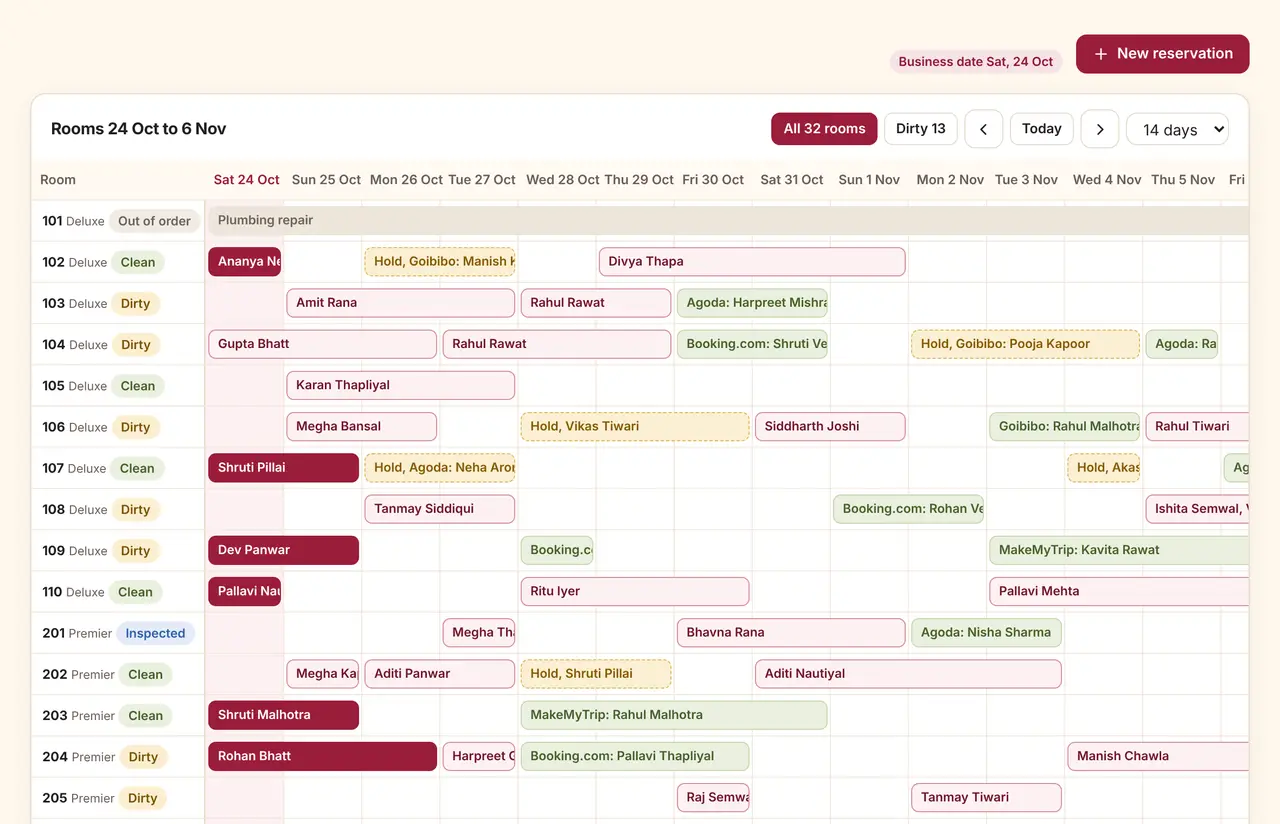
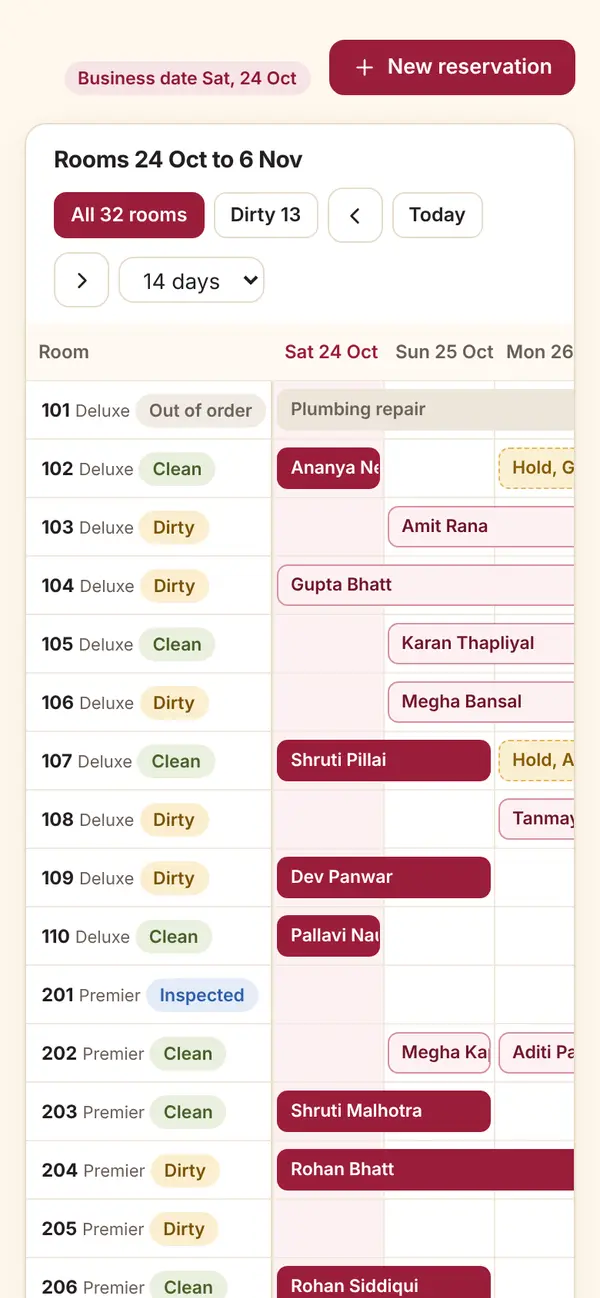
Sample dataFront desk room grid with bookings, housekeeping states and today's arrivals, phone width
- Bookings by room and date, with the source on each one (walk-in, Booking.com, Agoda and others as entered by staff).
- Housekeeping state next to every room number: clean, dirty, inspected, out of order.
- Today's arrivals with one-tap room assignment and check-in.
The floor plan shows what every table is doing
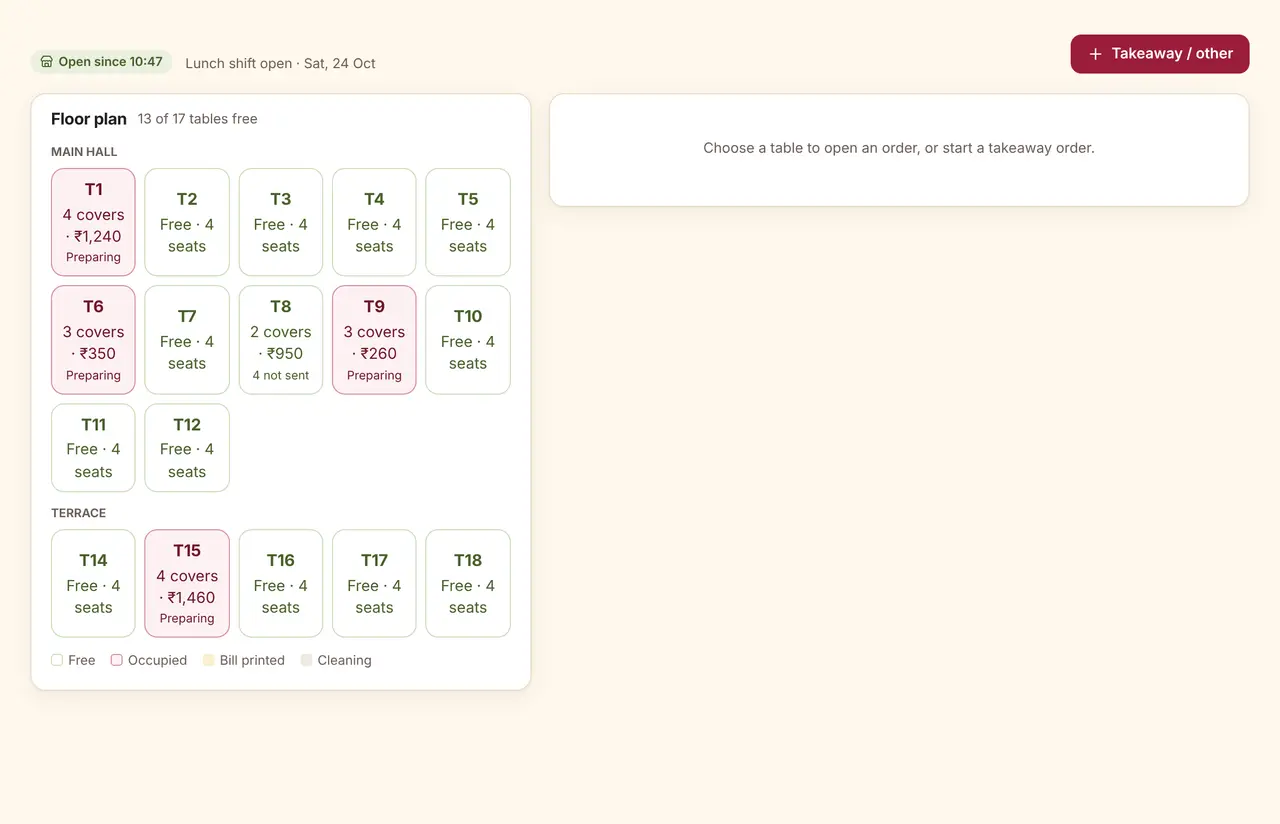
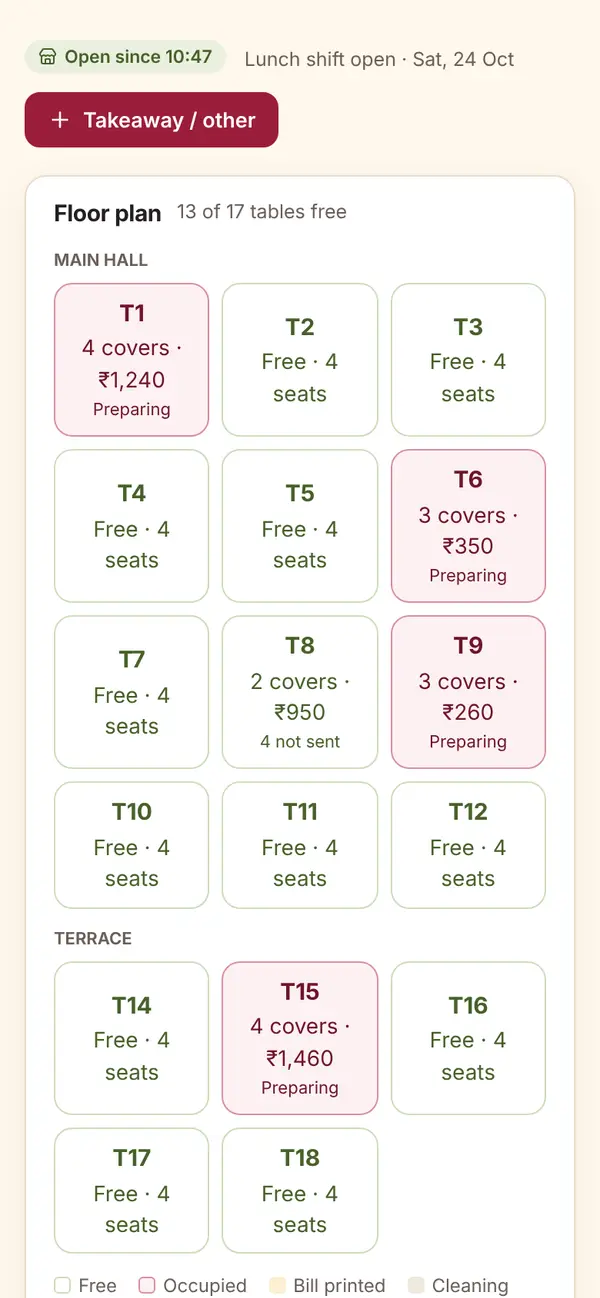
Sample dataRestaurant floor plan with occupied tables, covers, running totals and kitchen status, phone width
- Covers, running total and kitchen status on each table.
- QR orders and online orders in their own tabs, waiting for staff to accept.
- The store chip shows whether the day has been opened, and since when.
Tickets in columns, with time on the clock
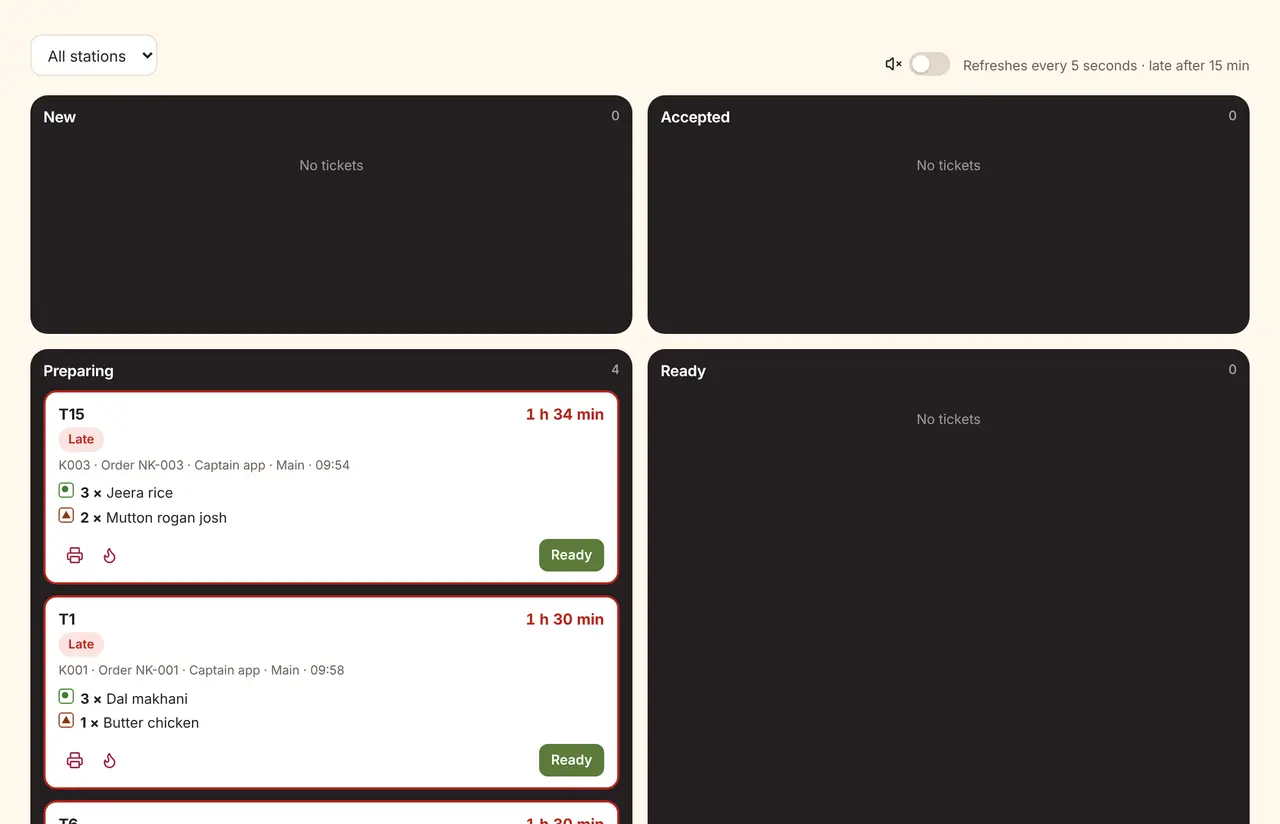
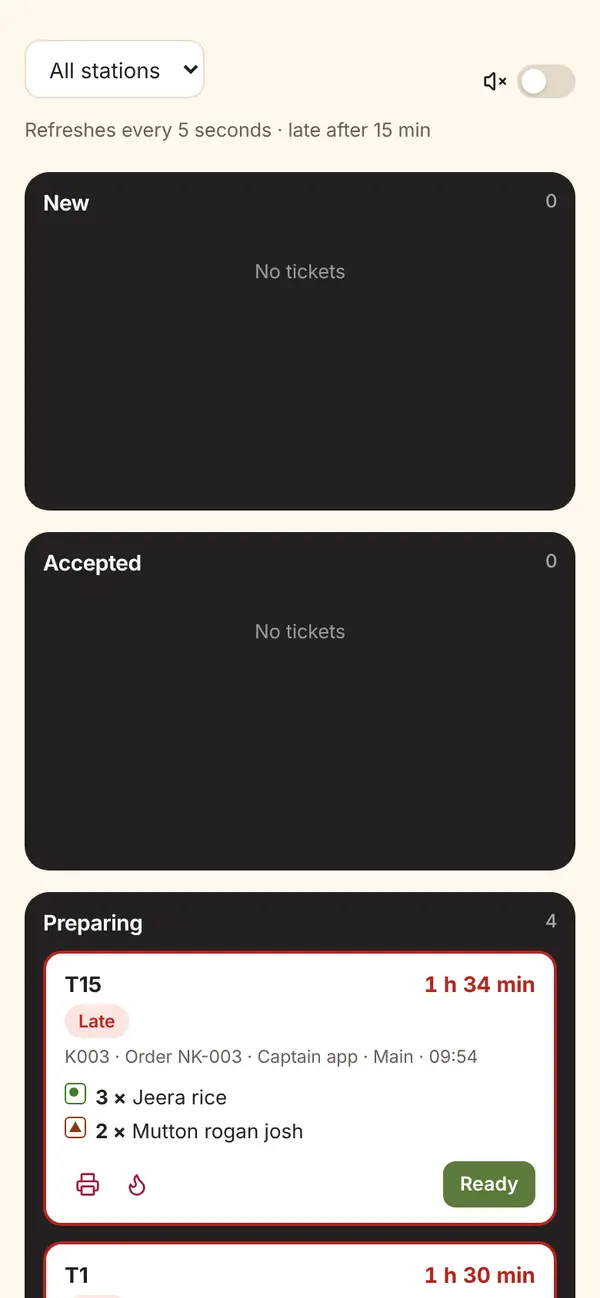
Sample dataKitchen display with tickets grouped by new, accepted, preparing and ready, phone width
- New, accepted, preparing and ready, with minutes since the order.
- Veg and non-veg marks on every line; rush tickets highlighted.
- Each station can see only its own tickets: tandoor, South Indian, bar.
Guests order from the table; staff confirm first
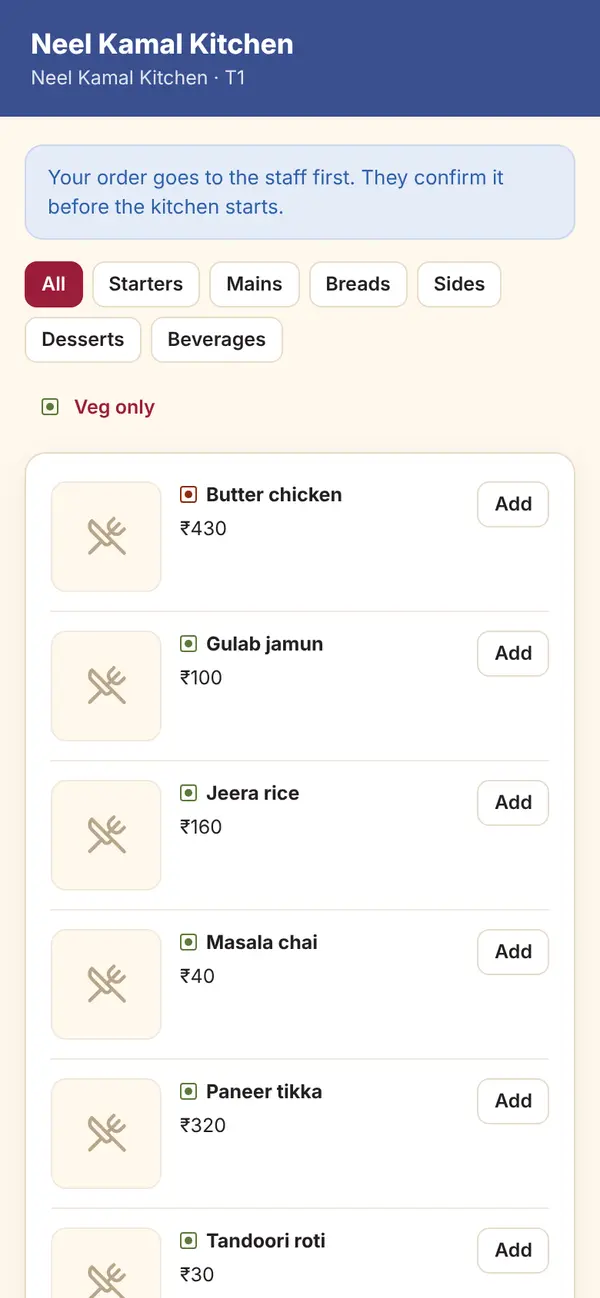
Sample dataGuest QR menu on a phone with categories, veg-only filter and add buttons, phone width
- Each table has its own QR code; orders go to staff before the kitchen.
- Sold-out dishes stay visible but cannot be ordered.
- Guests can rate the visit privately; low ratings open a complaint for the owner.
Stock that moves with every settled bill
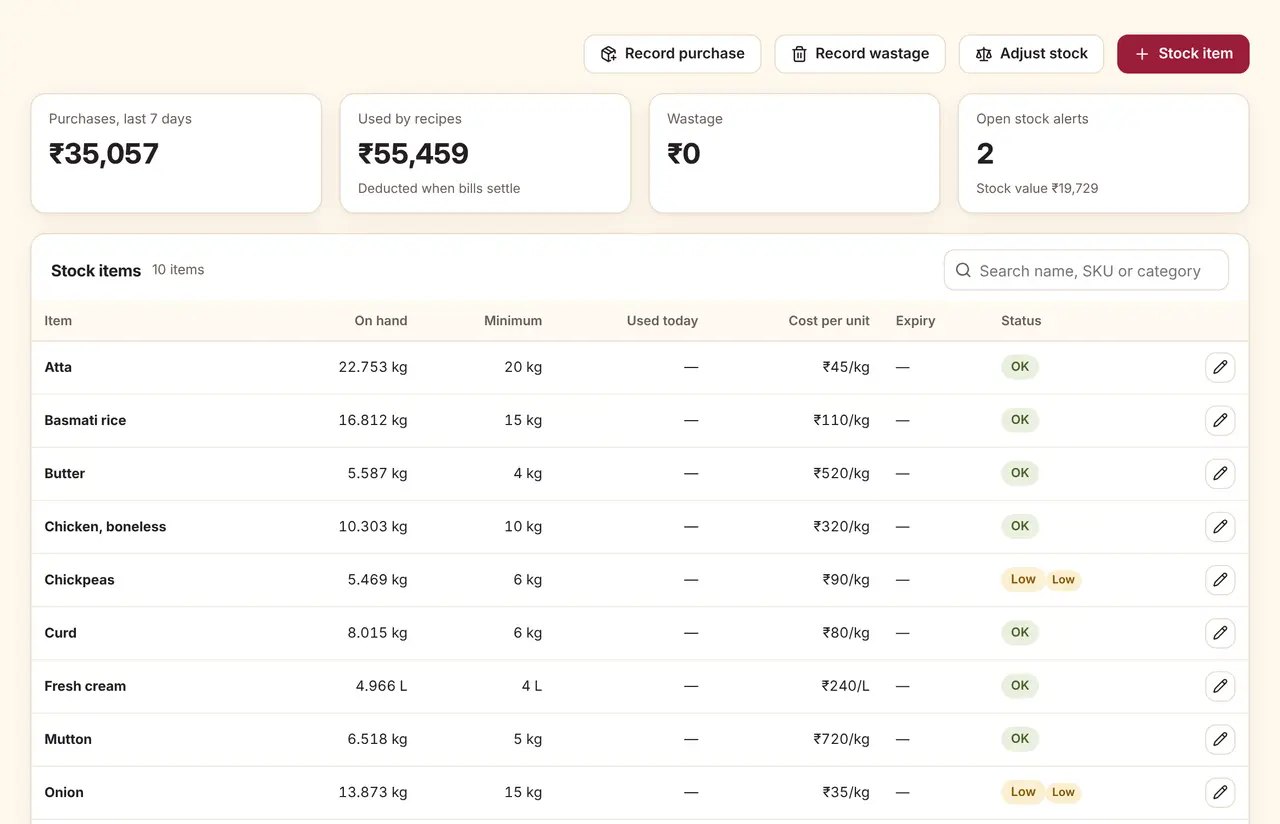
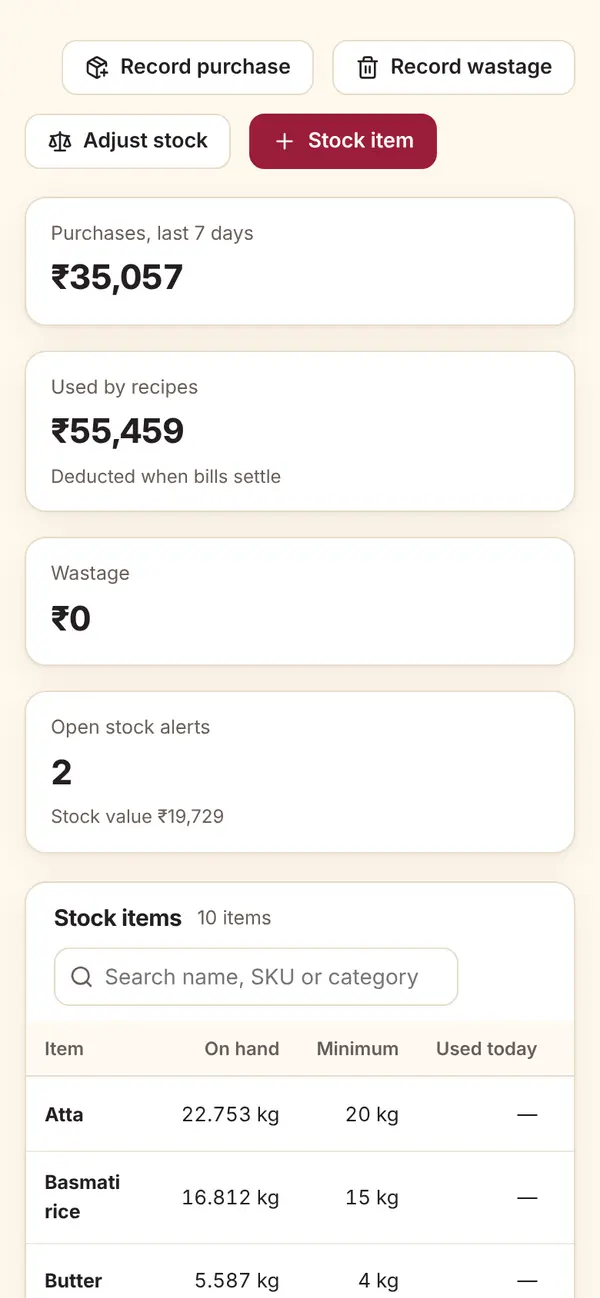
Sample dataInventory overview with purchases, recipe usage, wastage and open stock alerts, phone width
- Recipes deduct ingredients when a bill settles, once per bill.
- Purchases, wastage and counted adjustments, each with a reason.
- Alerts for low stock, out of stock and expiry, with a suggested order.
Open the day with a float, close it with a count
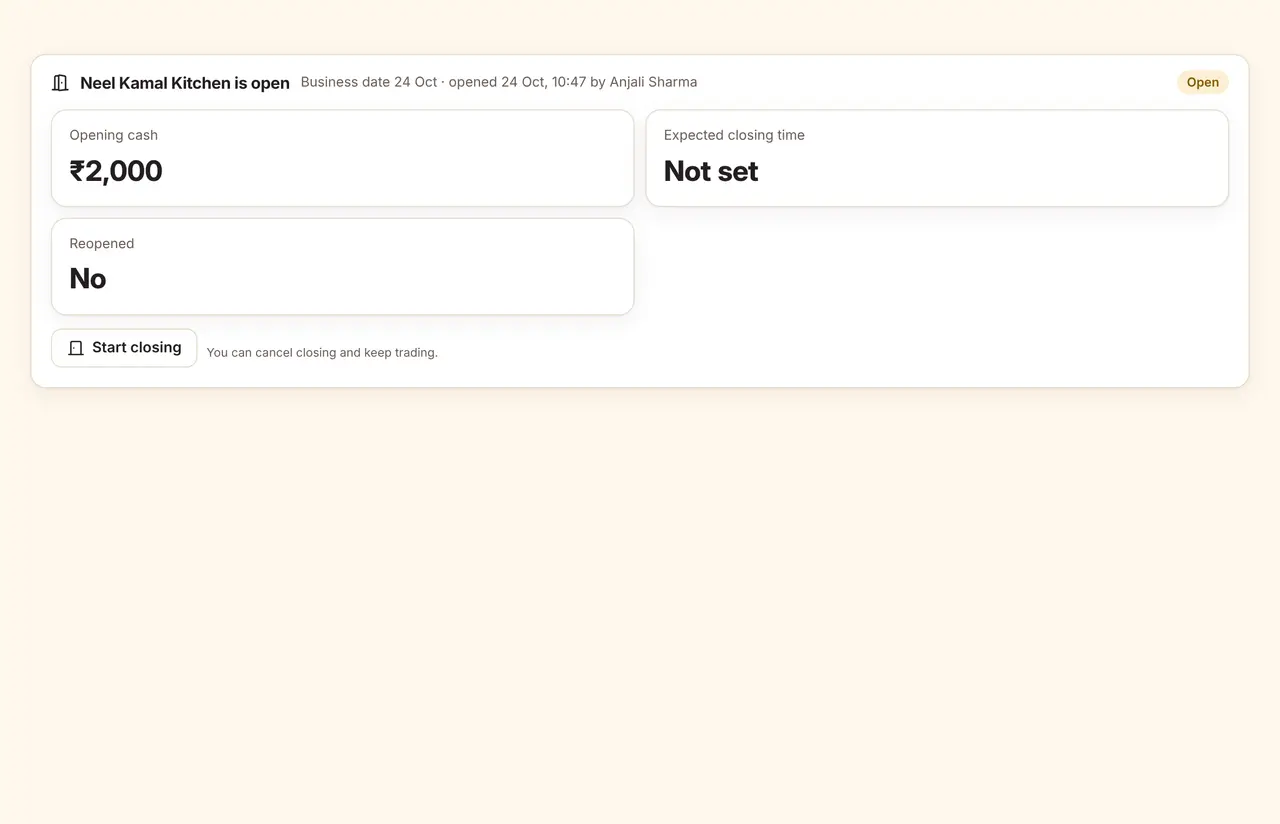
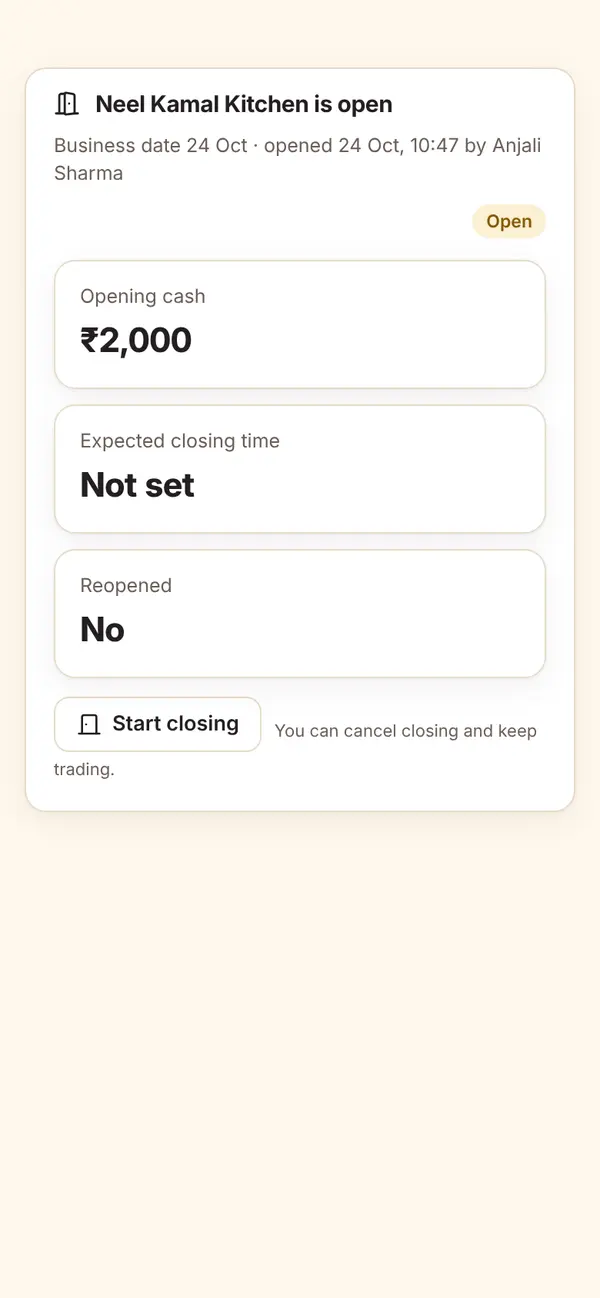
Sample dataStore open and close screen with the current session and closing checklist, phone width
- Opening cash and a short checklist to start the day.
- Closing lists what is still open: unbilled orders, unpaid bills, live tickets.
- Counted cash against expected, with the difference recorded.
Sales, collections and the day so far
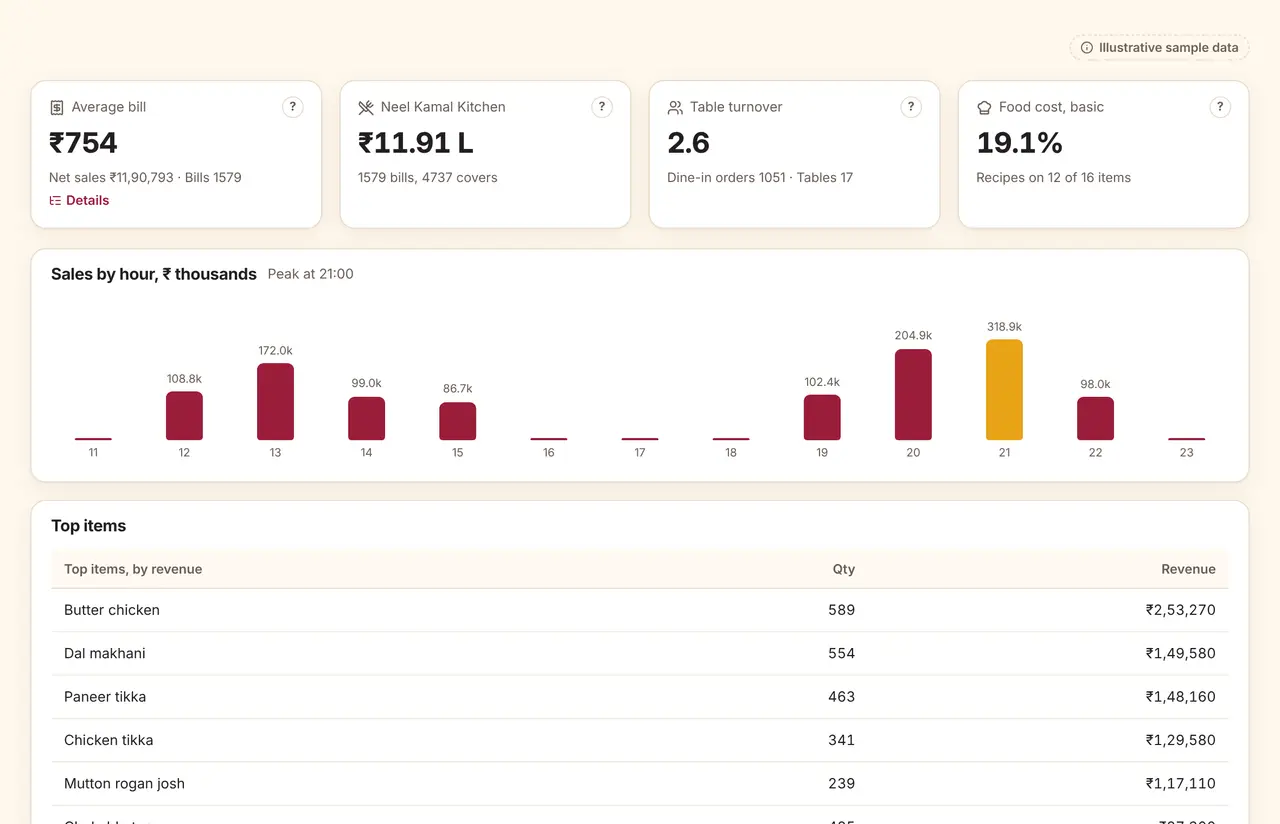
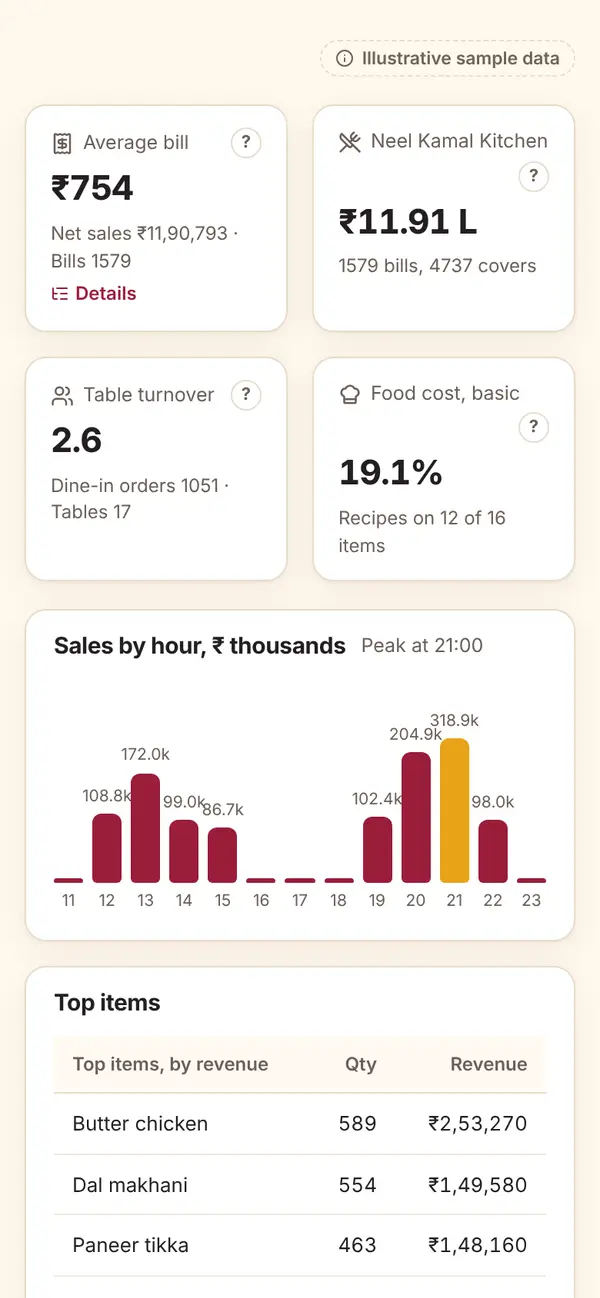
Sample dataSales and operations dashboard with today's sales, payment methods and top items, phone width
- Owner, manager and staff dashboards built from the same definitions.
- Figures are marked estimated until the day or month is closed.
- Exports for Tally and Zoho Books, and CSV files that open in Excel.
More of the product
Screens the front desk, kitchen and accounts use every day.
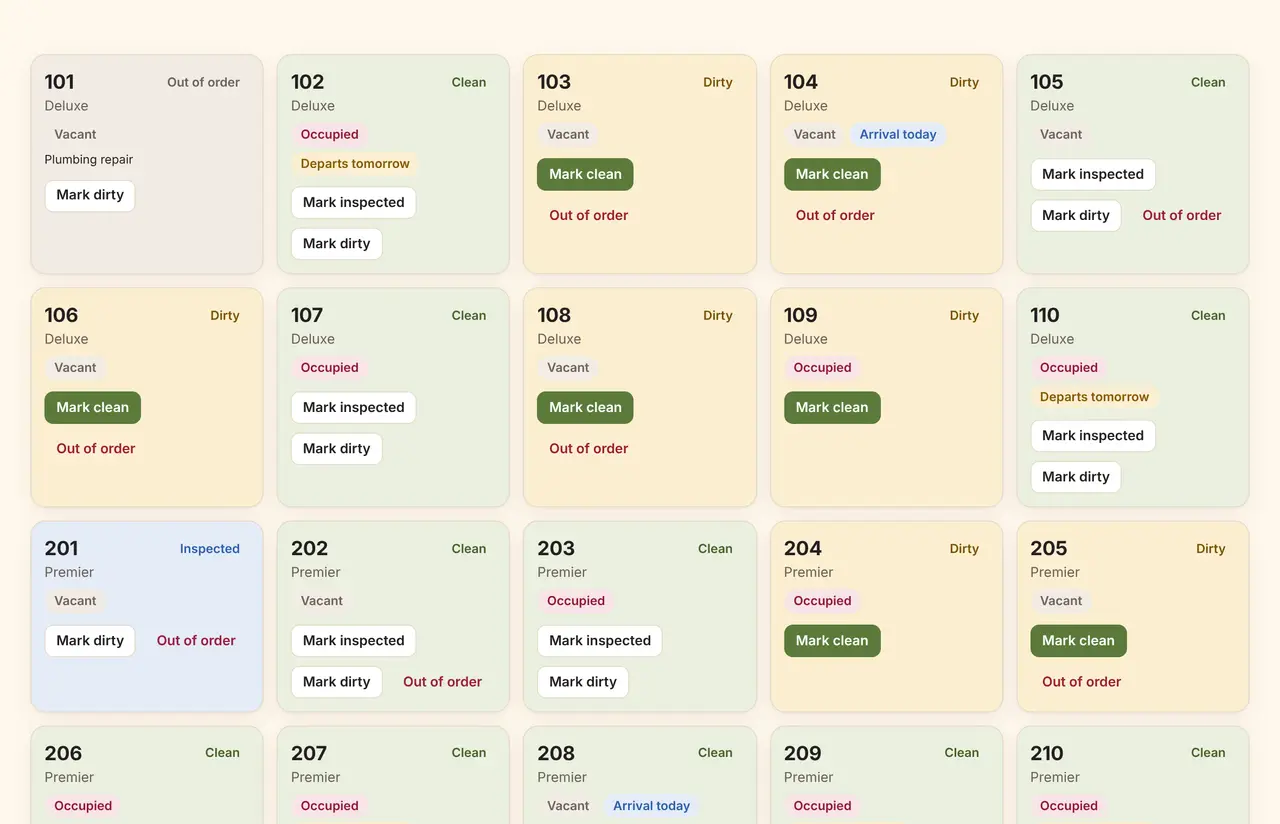
Housekeeping
Rooms move from dirty to clean to inspected, and the front desk sees it straight away.
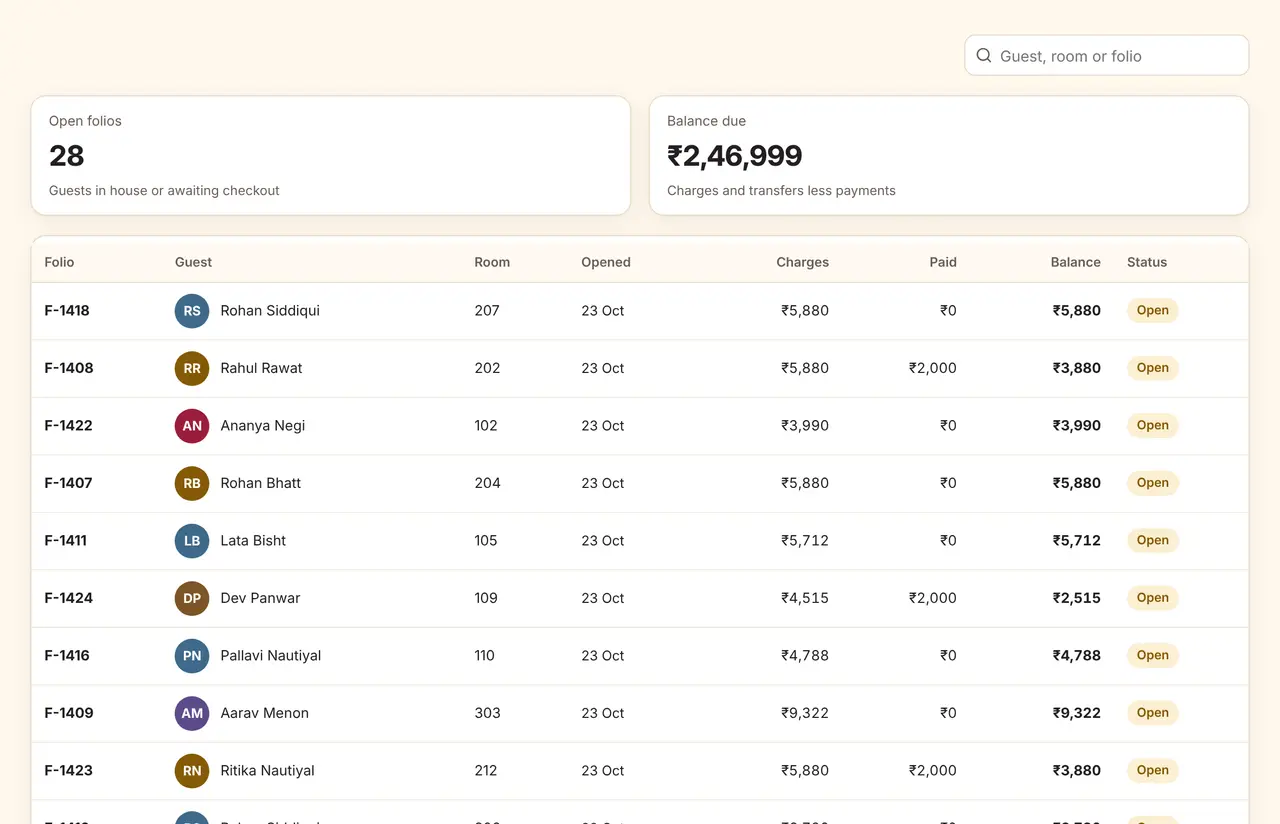
Folios and GST invoices
Advances, room charges, restaurant transfers and payments on one folio, with the GST invoice at checkout.
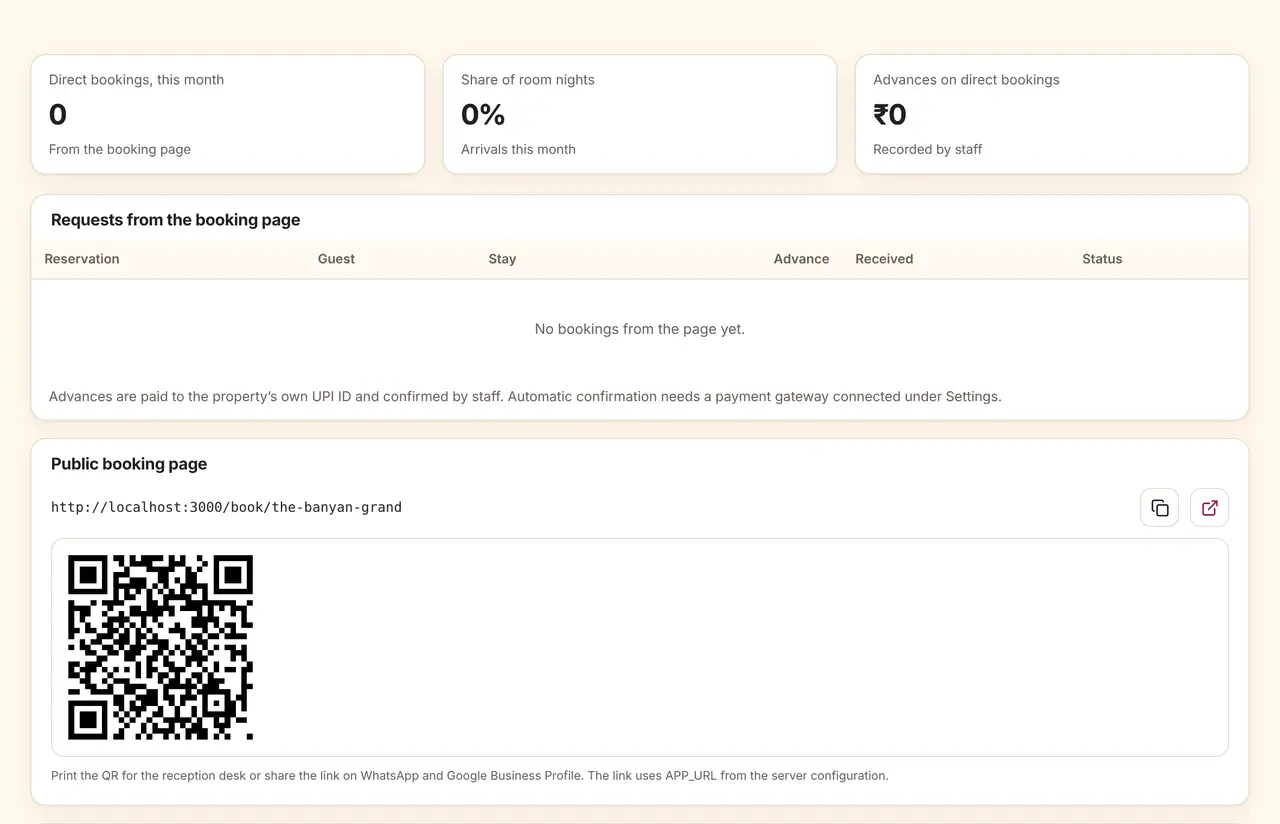
Direct bookings
Your own booking page, reached from a QR code or your website, with holds that expire automatically.
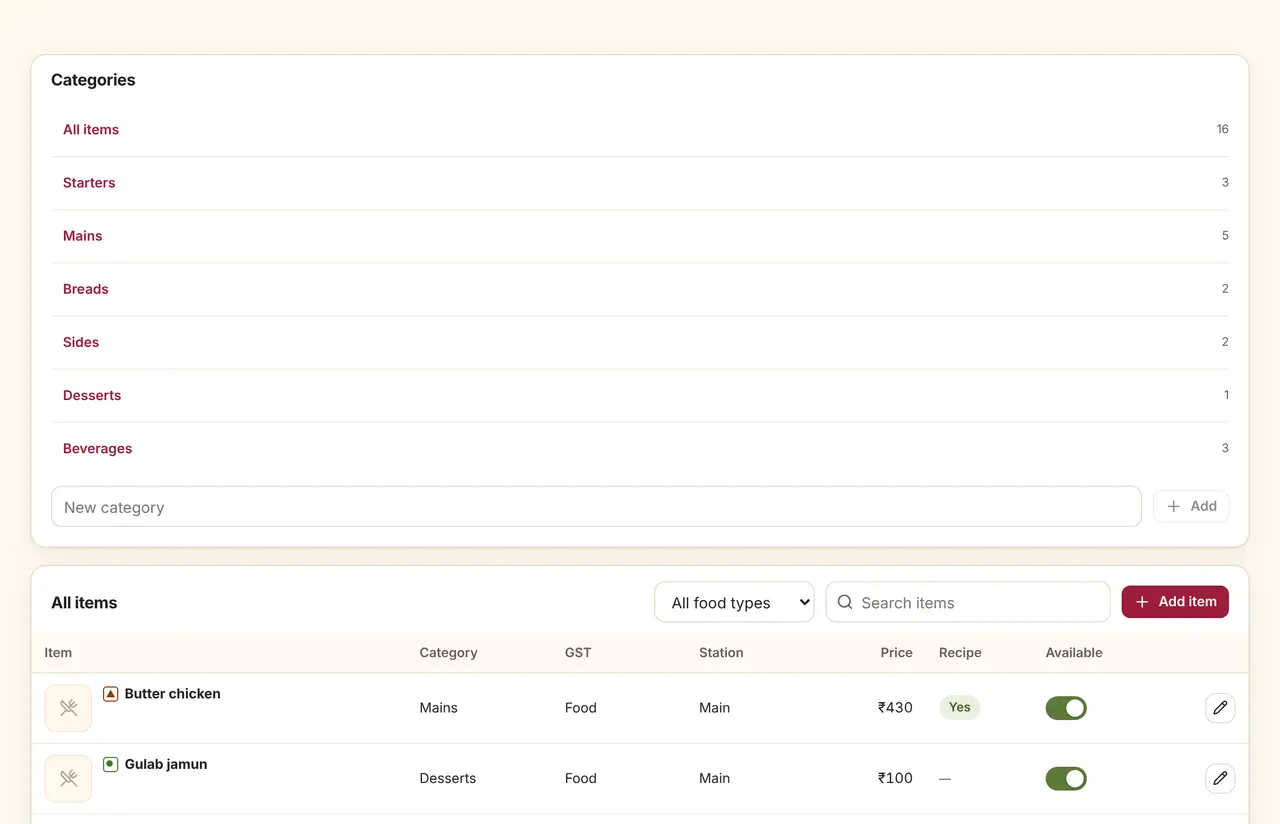
Menu, tables and kitchens
Dishes with food type and cuisine, tables with their QR codes, and the rules that send each item to a station.
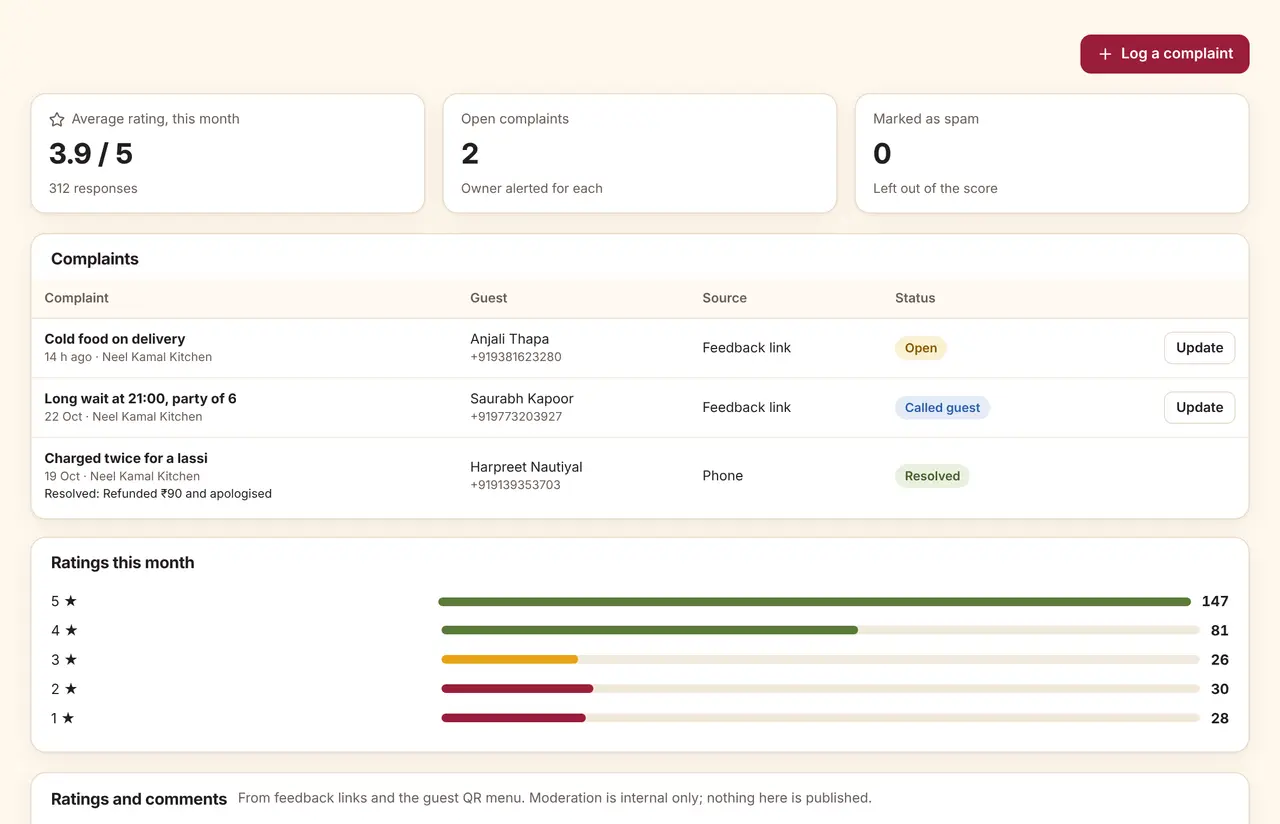
Feedback and complaints
Ratings and comments from the table and from bill links, with low ratings opened as complaints.
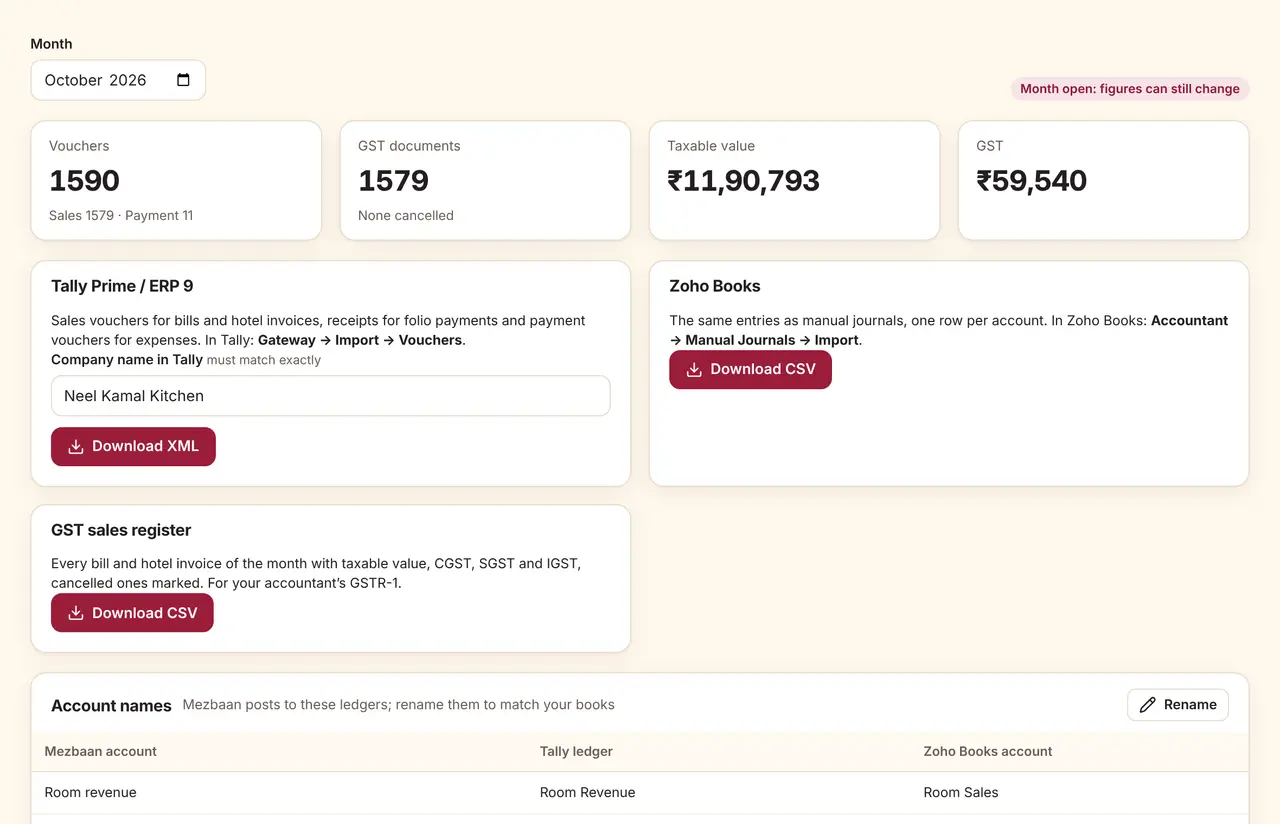
Accounting exports
Day books and sales registers for Tally and Zoho Books, by date range and unit.
Want to click around yourself?
We do not open a shared login to a live business. Book a demo and we will set up a sample workspace with your rooms or menu, so you can try it with your staff.