
Restaurant billing that keeps the kitchen in step
Mezbaan Rasoi is for restaurants, cafés and dhabas. Orders go from the table to the right kitchen station, bills keep printing when the internet drops, and recipes tell you what stock you have left.
What it fixes
Chits on a spikeOrders get lost between the table and the tandoor.
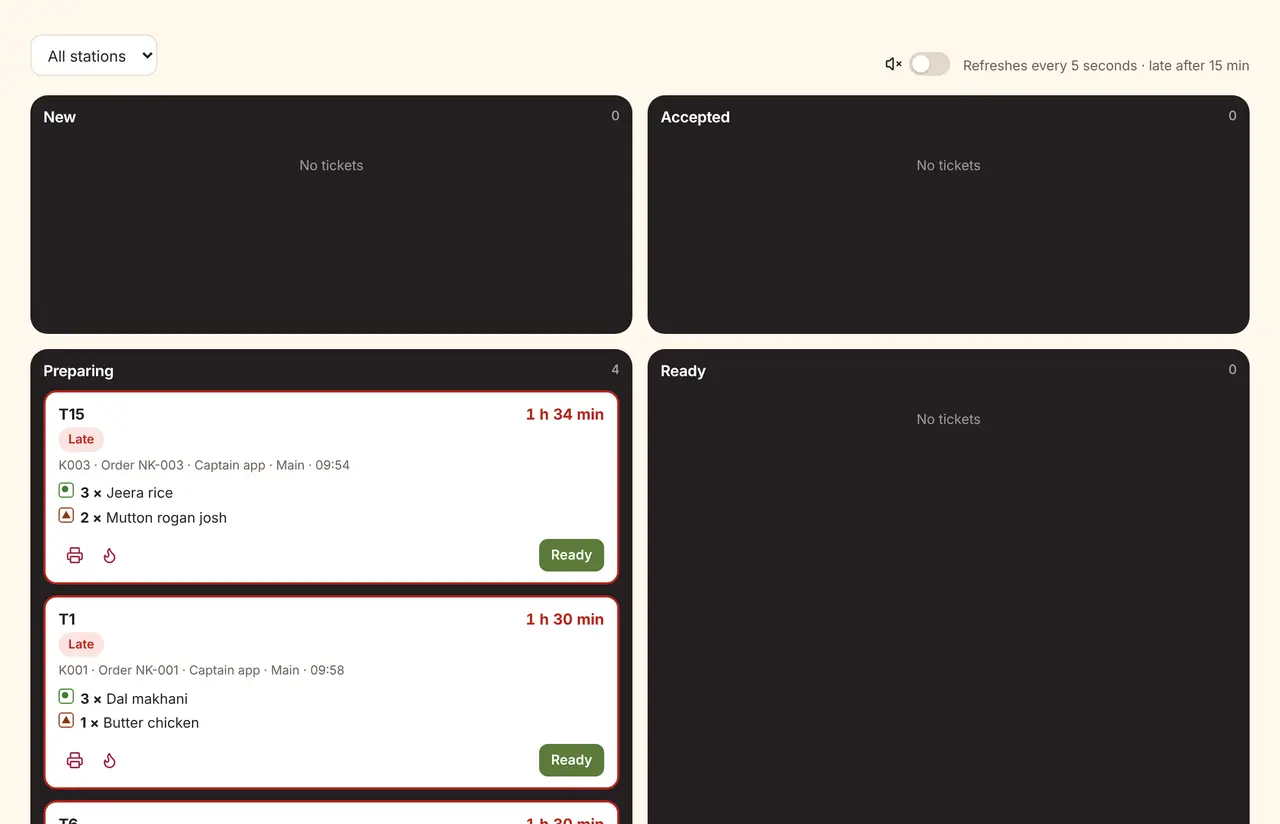
Tickets by stationEach item goes to its station’s screen or printer. The kitchen accepts, prepares and marks ready; the floor sees it happen.
Billing stops with the Wi-FiThe router goes down at 9pm on a Saturday.
Offline billingA registered counter keeps printing bills and tickets in an unbroken invoice series, then syncs.
Stock is a guessPaneer runs out mid-service; wastage is never recorded.
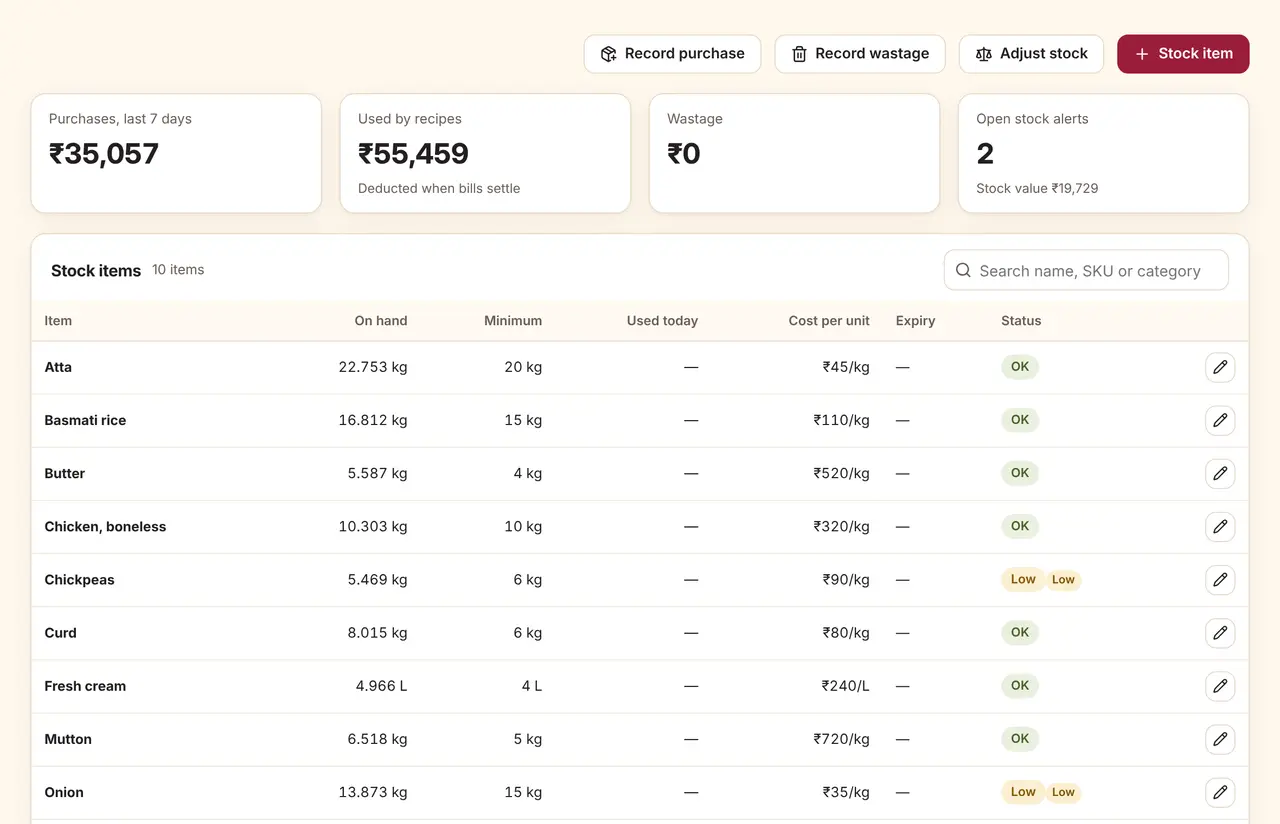
Recipes that deduct stockSettled bills deduct ingredients once. Low-stock and expiry alerts suggest what to order and from whom.
A working day in Mezbaan Rasoi
Real screens from a sample restaurant.
Floor and orders
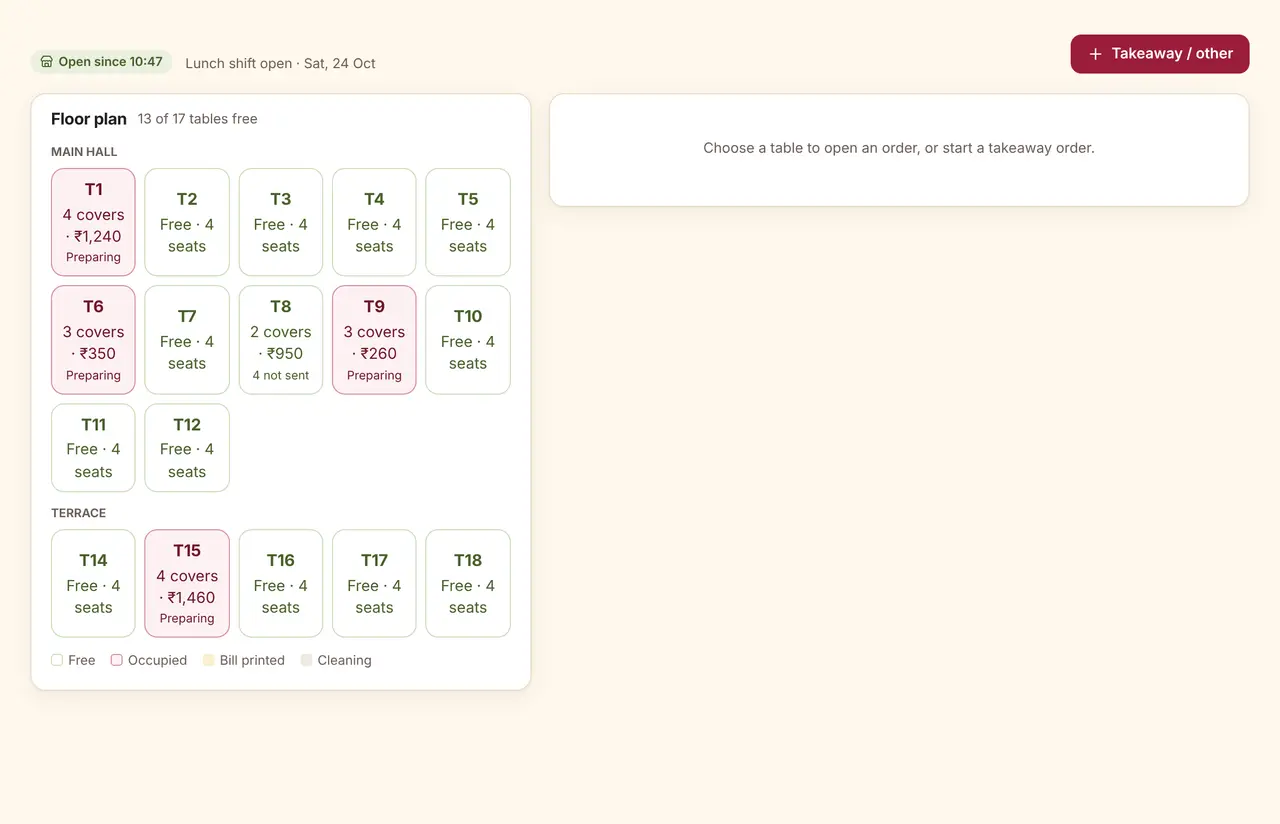
Every table shows covers, the running total and where its food is. Dine-in, takeaway, QR and delivery orders each have their own tab.
KOT and kitchen display
Tickets with veg marks, add-ons, notes and the minutes since ordering. A kitchen can reject an item with a reason; the bill waits until a manager voids it.
Recipes, stock and alerts
Purchases, wastage and counts with reasons. Alerts for low stock, out of stock and expiry, each with a suggested order.
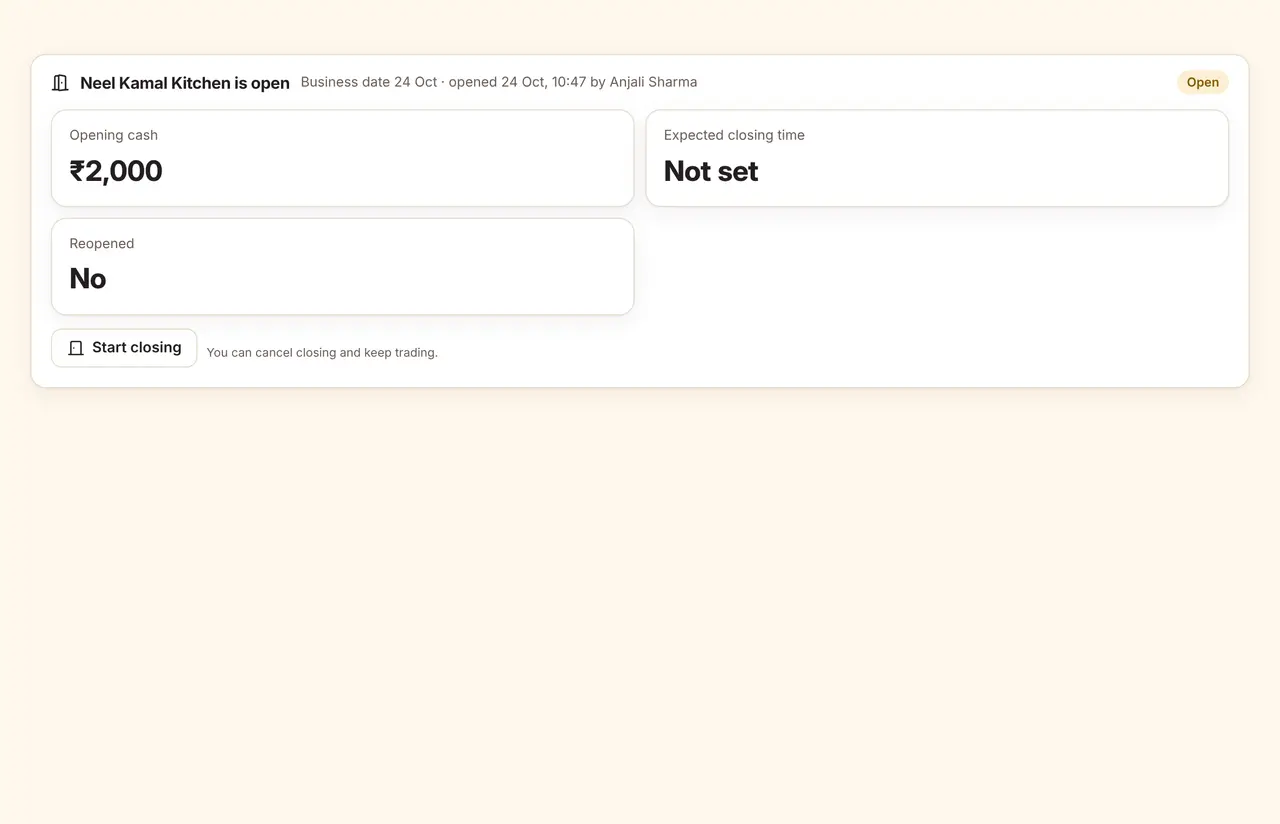
Open and close the day
Open with a cash float and a checklist; close with a count, a review of anything still open, and a printed closing report.
Also in Mezbaan Rasoi
QR table ordering
Guests order from the table; staff confirm before the kitchen starts.
Reservations and waitlist
Bookings and walk-ins in one list, with a message when the table is ready.
Item profitability
Food cost from recipes against selling price, dish by dish.
Delivery orders
Zomato and Swiggy orders through an integration partner, with test orders to try it first.
Live Zomato and Swiggy orders need an account with an integration partner, which is a separate paid service.
Mezbaan Rasoi pricing
Monthly plans, no lock-in. Yearly billing is optional and costs 15% less. Start with a 15-day free trial; no card is needed.
No GST is charged at present. Larger properties get a custom plan.
Questions about Mezbaan Rasoi
Do I need special POS hardware?
No. Mezbaan runs in a browser on a computer, tablet or phone. Bills and kitchen tickets print through the device’s own printing to the printer it already uses.
Can I have a separate kitchen for South Indian and Punjabi dishes?
Yes. Set up stations and routing rules by category, dish, cuisine or veg and non-veg. A mixed order produces one ticket per station, all linked to the same table.
How does QR ordering avoid fake orders?
Each table has its own QR code, and every QR order waits for a staff member to accept it before the kitchen sees it.
Can I use it for more than one outlet?
Yes. Each extra outlet is an add-on to the plan, with its own invoice series and reports. See multi-outlet management.
Related features
Book a restaurant demo
Tell us a little about your restaurant. We will call to fix a time and set up the demo with your own menu.
Request received
Your reference is
We have sent a confirmation to . Someone from the Mezbaan team will call or write to fix a time. Quote the reference if you write to hello@mezbaan.net.