
Know what is in the store before service starts
Recipes connect each dish to its ingredients. When a bill settles, Mezbaan deducts them, once. Purchases, wastage and counts keep the numbers honest, and alerts tell you what to order.
In Mezbaan Rasoi and Mezbaan Haveli.
Most restaurants learn they are out of something when a guest orders it, and never find out where the rest went.
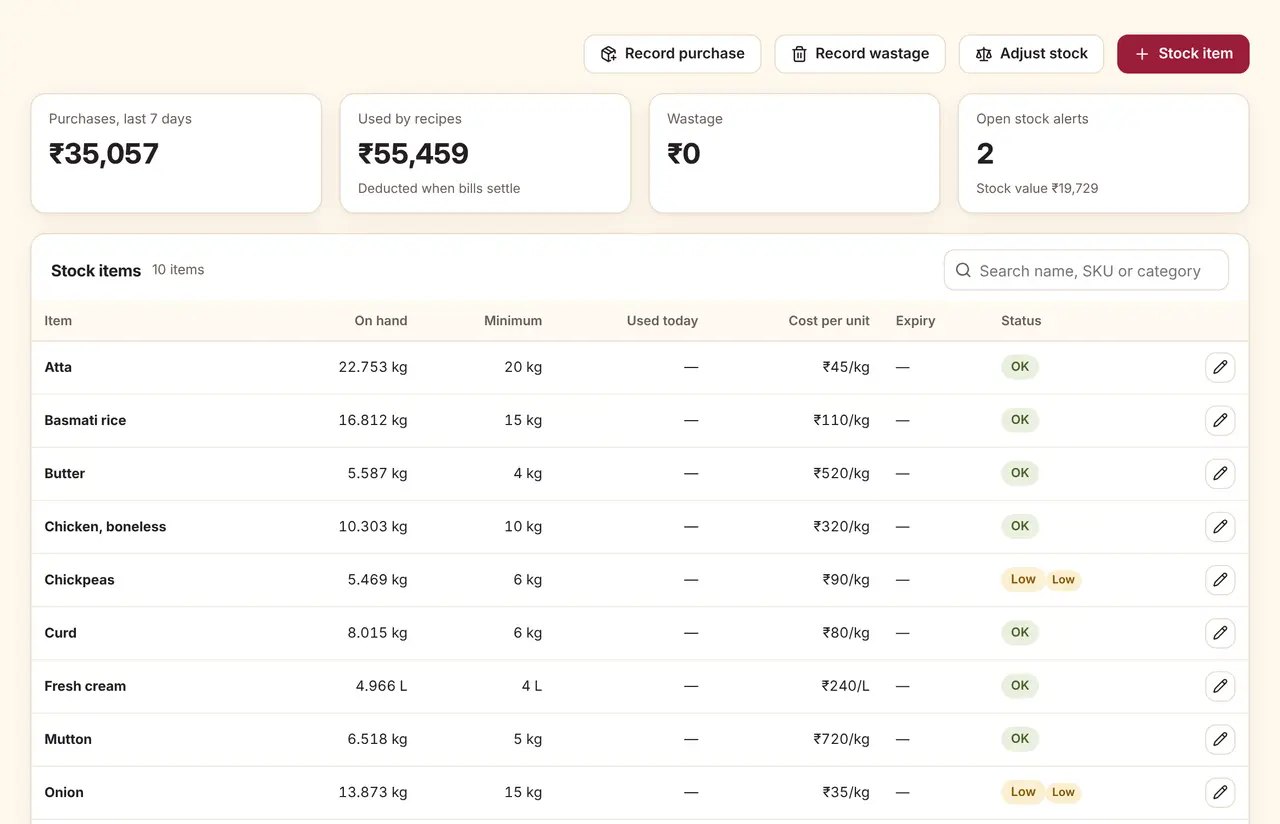
Stock at a glance
Purchases and recipe usage for the week, wastage, and the value of stock on hand.
Alerts that say what to do
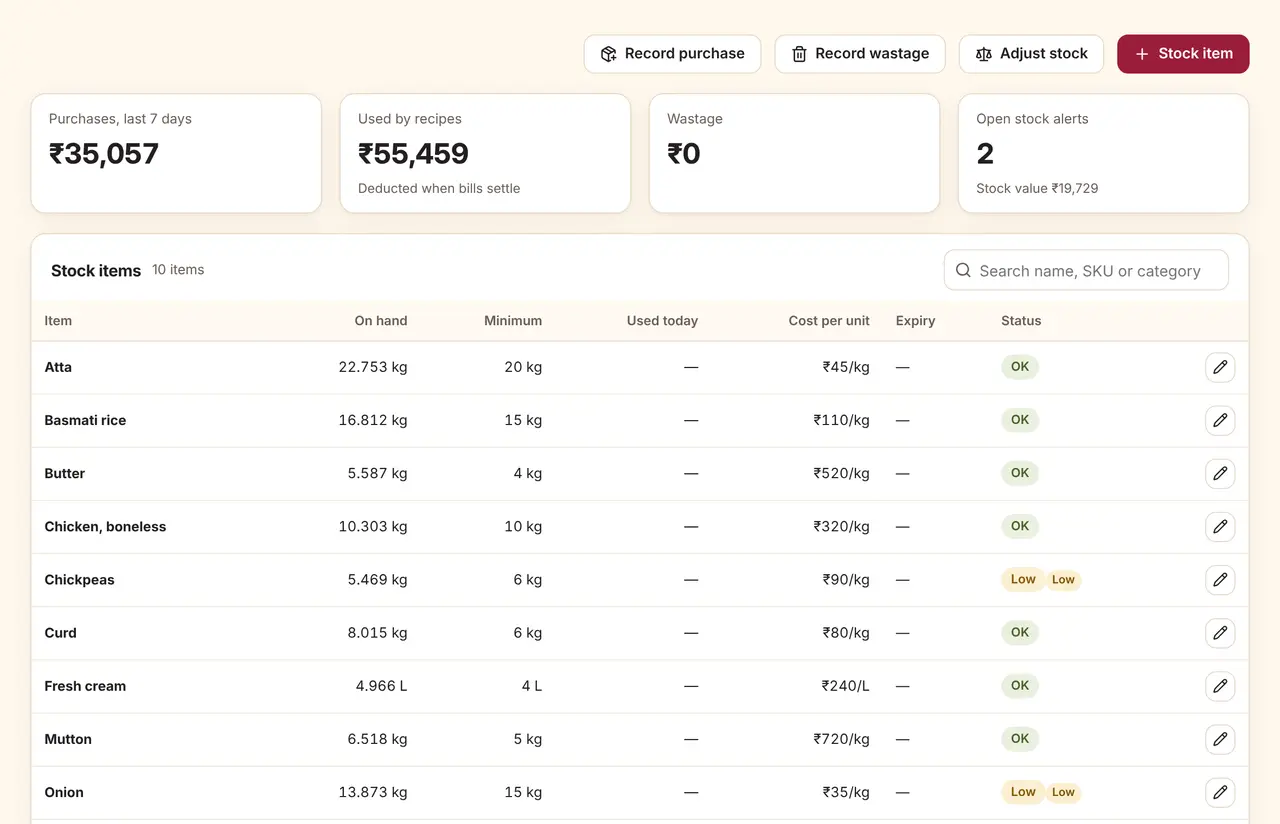
Low stock, out of stock, negative balance and expiry alerts, each with a suggested order and supplier. They resolve on their own when stock is restored.
The details that matter
Deducted once per bill
A retried payment or a repeated sync never deducts the same bill twice.
Returns on refunds
Refunding a bill can return its ingredients to stock, if you choose.
Purchases and receipts
Purchase orders, goods receipts and supplier records.
Counts and transfers
Stock counts post the difference as an adjustment with a reason.
Questions
Do I have to enter recipes for every dish?
No. Dishes without recipes still sell; they just do not move stock. Most owners start with their top dishes and high-cost ingredients.
Who gets the stock alerts?
Staff whose role can manage inventory, usually the owner, manager and store keeper, get them in the app.
Can it track expiry dates?
Yes. Set an expiry date on a stock item and how many days before it you want to be warned.
See it run with your own rooms and menu.
We run the demo on a video call with your room types or menu loaded, so you can judge it on your own work.