
Open the day properly. Close it with nothing left loose.
Start each day with an opening float and a short checklist. At closing, Mezbaan lists everything still open, compares counted cash with what it expects, and saves a closing report you can print.
In Mezbaan Rasoi and Mezbaan Haveli.
A restaurant that runs past midnight, with three cashiers and a delivery rider, rarely closes the same way twice.
The day’s session
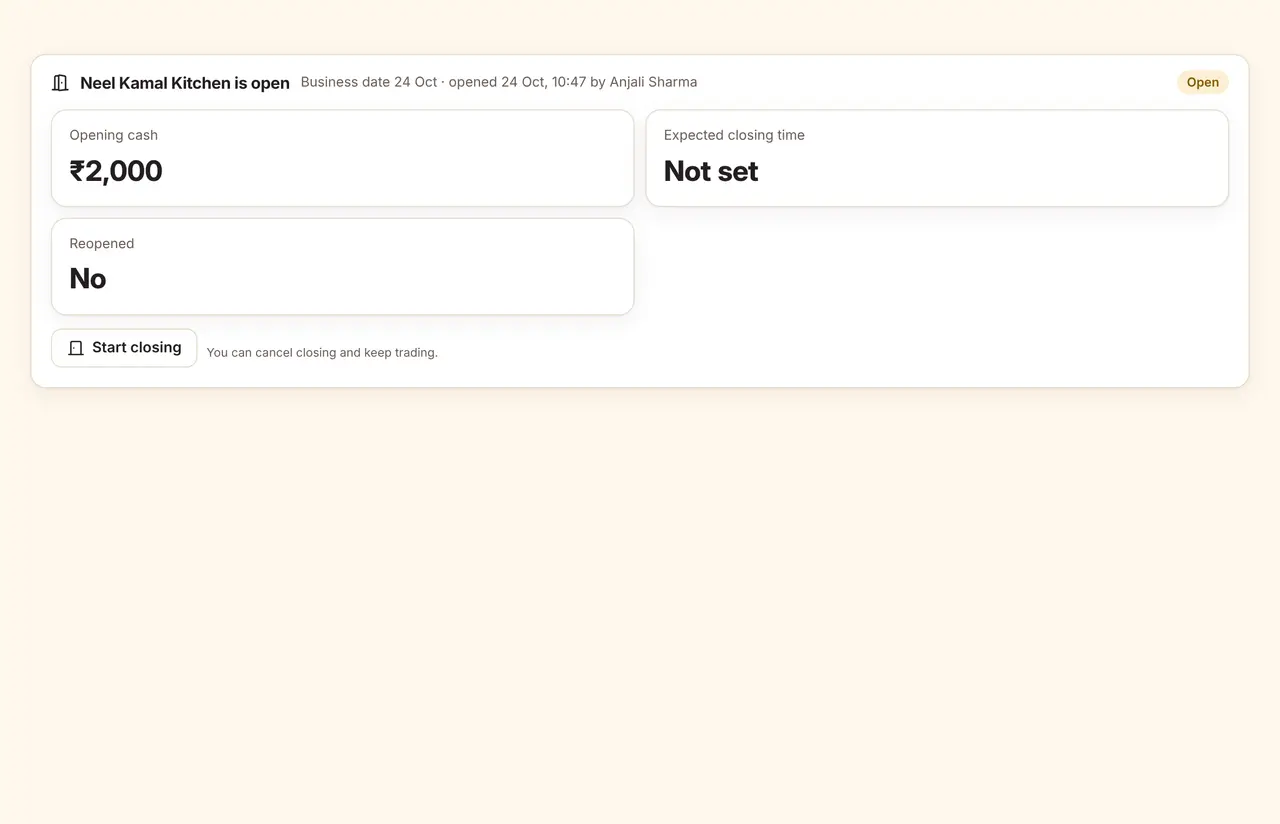
See when the store opened and by whom, then start closing when service ends. The floor shows whether the store is open.
The details that matter
A review before closing
Unbilled orders, unpaid bills, unconfirmed UPI, live tickets and open shifts, each with a link to fix it.
Cash count and variance
Expected cash against counted cash, with a note required for any difference.
Past midnight
The business day follows the session, not the calendar, until you close it.
Reopen with a reason
An owner can reopen the last closing with a reason; the earlier report is kept.
Questions
What if someone forgets to close?
Managers get a reminder 30 minutes after closing time. Mezbaan never closes the day on its own.
Can a closed store still take orders?
You choose: allow orders with a warning (the default) or block them until the store is opened.
Who can open and close?
By default the owner, general manager and restaurant manager. You can change this per role.
See it run with your own rooms and menu.
We run the demo on a video call with your room types or menu loaded, so you can judge it on your own work.